To change your overdraft protection options:
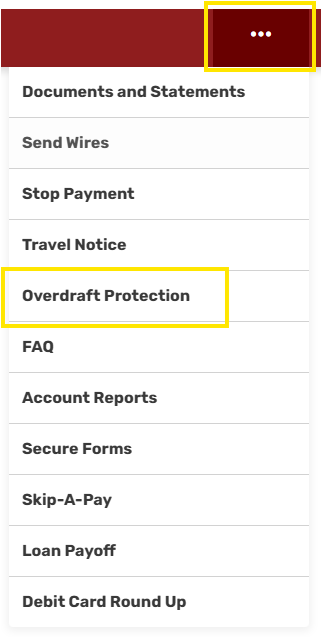
- Select the three dots at the top of the navigation bar. Click Overdraft Protection
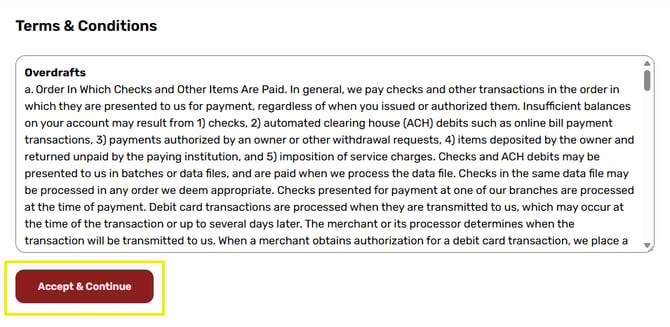
- Read the terms and click Accept and Continue
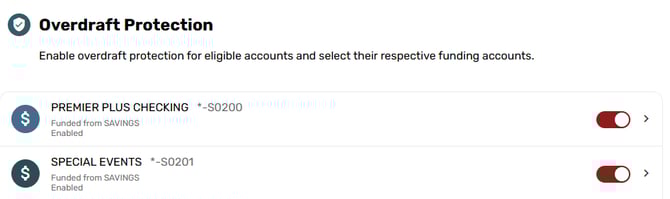
- Click the account you want to be covered by overdraft protection or not
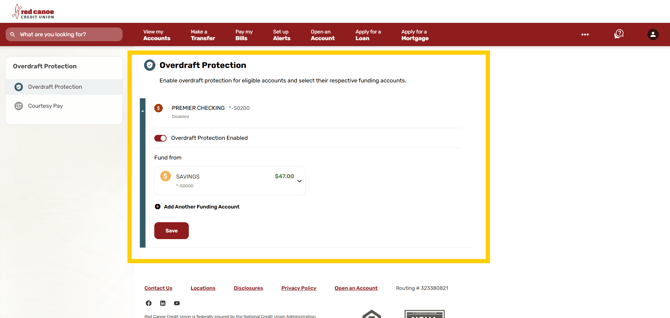
- Select the toggle button on or off depending on your preference and click Save
- Select which savings account you want to cover your Checking account
Learn more about overdraft protection.